
I’m still working on the end credits editor.
Last time I wrote about why I started building it. The short version is that credits look like a simple job right up until you have to make them for a real project.
The hardest part so far has been the humble credit roll. Just some text moving up the screen.
How complicated could that possibly be?
Apparently, very.
Make it too slow and the audience has time not only to read every name, but also to reflect on the meaning of life. Speed it up and the text can start to judder. Even better, the same speed may look fine in one project and noticeably worse in another.
I wanted to remove as much of that guesswork as possible.
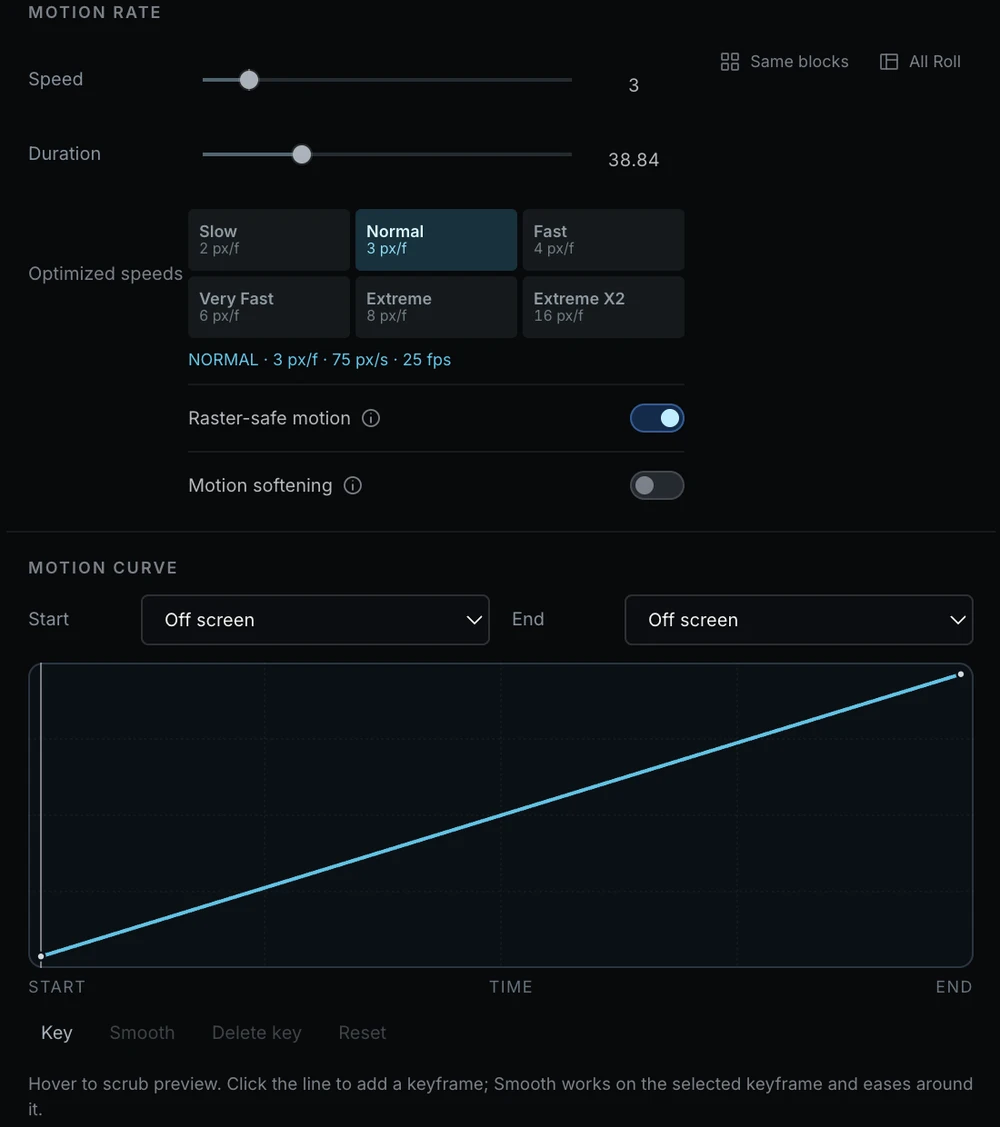
The editor now has ready-made speed modes: Slow, Normal, Fast, Very Fast, plus a few options for people who really need to get those credits finished right now.
It takes the project’s resolution and frame rate into account automatically. You choose a pace and immediately see how it looks.
To get there, I read a slightly unreasonable number of articles and recommendations and ran tests at different resolutions and frame rates. So far the modes are holding up well and the movement looks much more stable.
I hope I have covered the important details, but I definitely don’t want to pretend I have solved every problem with moving credits. This subject has far more nuances than it first appears.
At that point, the problem seemed solved.
Then I wondered: why should the entire roll move at one speed?
Maybe the logos should stay around a little longer. A long technical section can move faster. The final copyright notice may need to remain on screen for a moment before everything disappears.
That is how the motion curve appeared.
You can place a few points on it and literally draw how the credits should move: faster here, slower there, gently stop, wait for a moment, then continue.
You don’t have to do it blindly. Move through the graph and the Preview immediately shows which part of the credits is on screen.
At some point I realised I had spent twenty minutes slowing down logos, stopping the copyright notice and playing the whole thing again. Not because anything was broken. It was simply unexpectedly satisfying to control how the credits “breathe.”
This is probably my favourite new feature so far.
The editor is still far from finished, but the roll is beginning to feel less like text moving somewhere and more like a proper part of the edit.
If you have worked with long credit rolls and have your own ways of keeping them smooth, I would love to hear about them. There may be an important detail I have missed.
I’d like to compare my tests with other people’s real-world experience and use it to make this a genuinely useful tool, not just something that works well for me.